
Less nagging, more doing
The list lives in the app instead of in your voice. Kids open it and already know what today looks like.
Chores & rewards for families
Star Squad gives every child their own space with the jobs that are actually theirs, the stars they've earned, and a reward shop you stocked yourself. You keep the final say on all of it.
Coming soon to iPhone and Android.
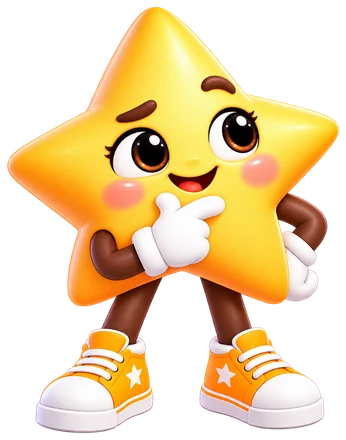
Hi! I'm Spark!
Have a go
This is the kids' side. Tap a mission to finish it. In the real app a grown-up checks it first — here we've done the approving for you.
Tap a mission to start!
In the real app, stars only land once a grown-up says yes.
How it works
Ten minutes on a Sunday is enough. After that it's a couple of taps a day.
Add your missions once — every day, on chosen days or just once, a star value each — and choose which child gets which.

They open their own space, see today's missions, and mark each one done with a note or a photo as proof.
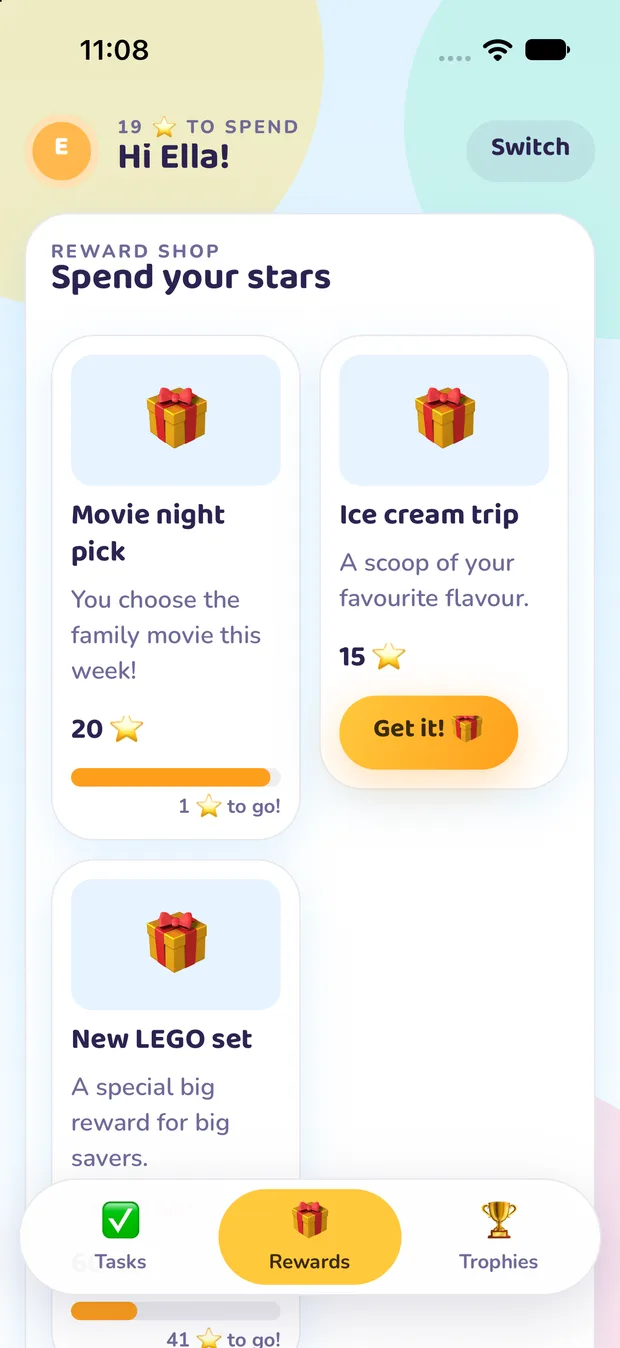
A tap in your inbox pays the stars out. Kids spend them in a reward shop you filled yourself.
A look inside
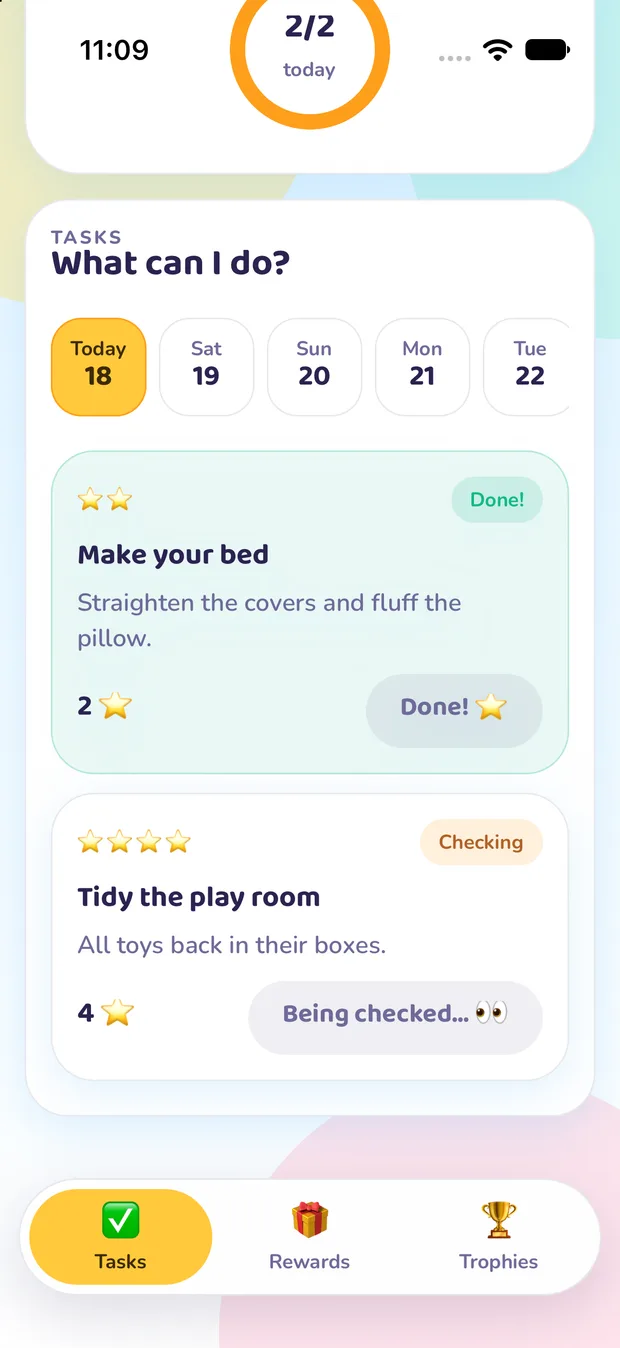
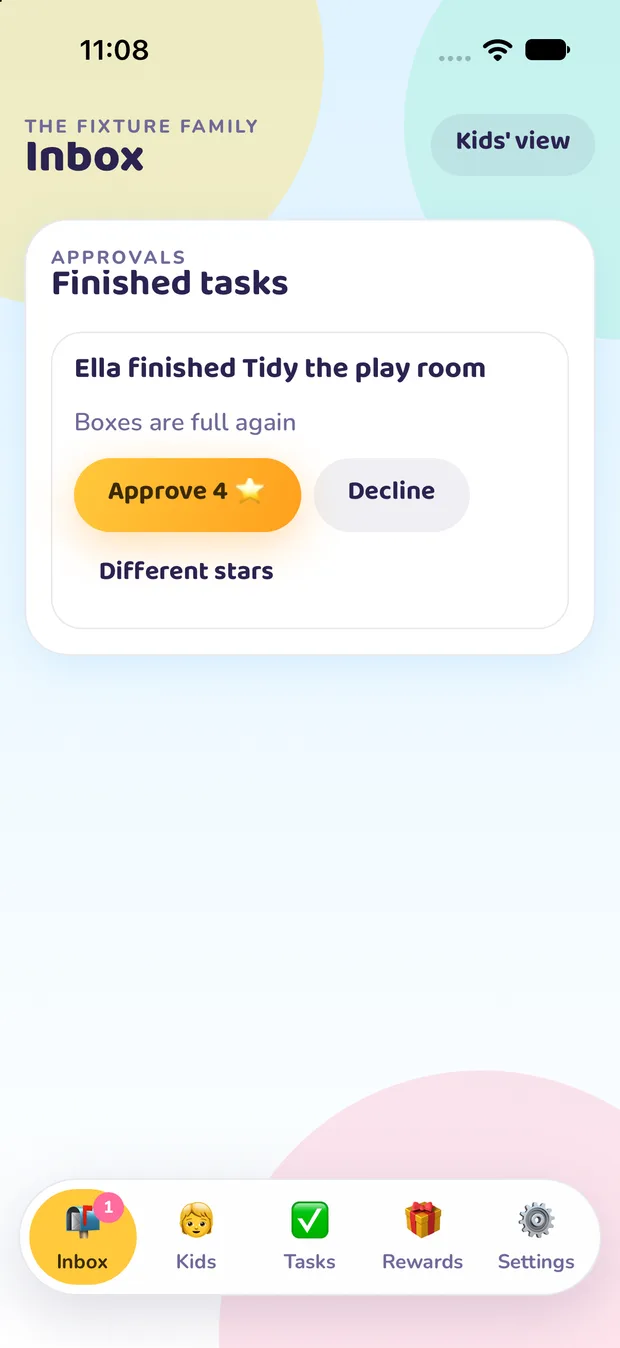
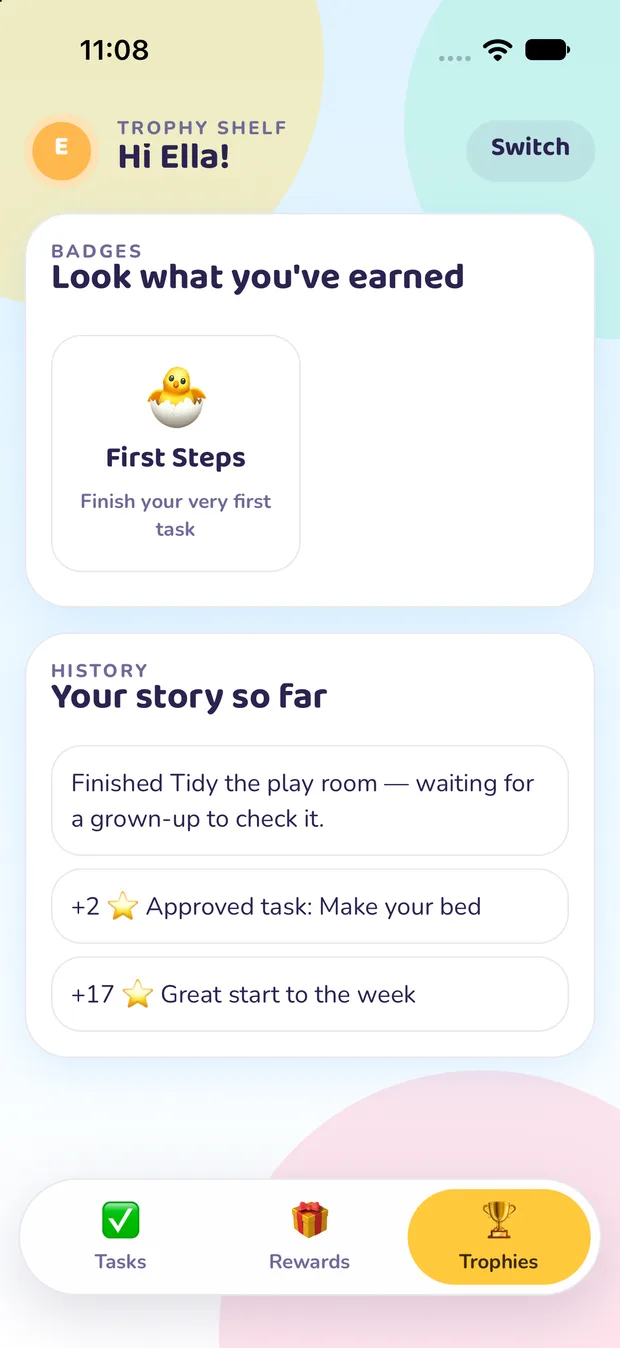
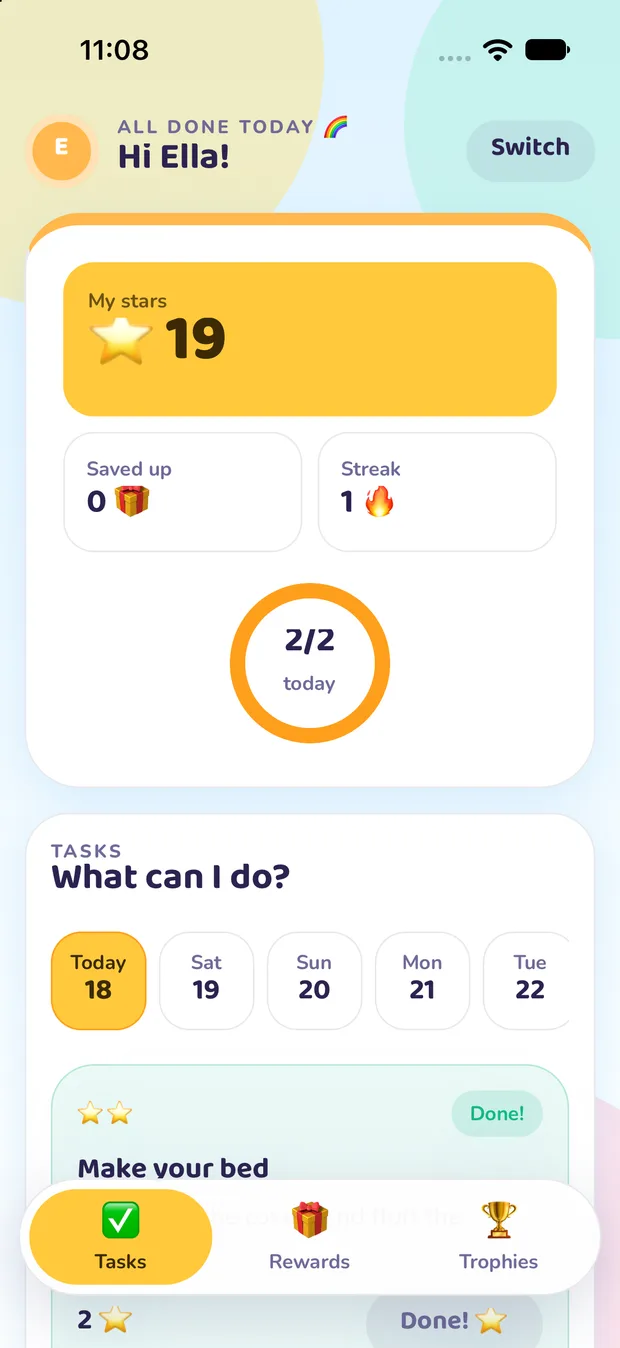
Two very different jobs, two very different screens — sharing one set of stars.
The kids' side
Big star balance, today's missions, a streak to protect and a progress ring that fills up as the day goes. No settings, no menus, nothing to break.
For the grown-ups
Star Squad doesn't replace you — it just writes down what everyone already agreed, so the same conversation stops happening every evening.
Grown-ups, this bit's for you!
The list lives in the app instead of in your voice. Kids open it and already know what today looks like.
Stars make effort countable. Kids watch a reward get closer and decide for themselves whether to spend or save.
Every star has a reason attached, so "that's not fair" turns into a history you can scroll through together.
Finished missions land in your inbox. Approve, decline, or award different stars — the balance only moves when a grown-up agrees.
Works as a shared family device with a profile each, or on everyone's own phone. Each child's space can have its own PIN.
Ticking off missions, approving them and awarding stars all work offline. Everything syncs the moment you're back online.
Star Squad is in final testing. Leave your email and we'll tell you the moment it's ready, a day before everyone else.

Meet the squad leader
Spark is a bright, bouncy star who cheers on every job, big or small — from a made bed to a whole week of homework. Spark keeps the motivation high and always believes you can do it.
“You've got this!”
Tap Spark to play
Star Squad is nearly ready. Leave your email and we'll tell you the moment it launches, a day before everyone else.
Or log in on the webBig dreams start with little steps!